Investor Update Chart Generator
Make investor-update charts that signal momentum. Export as PNG, SVG, GIF or MP4.
Free to try · No design skills · Ready in about two minutes
Trusted by 1,203 users, including people at
 ByteDance
 Arizona State
 Fox
Fox UT Austin
 Roche
Roche Tulane
 United Airlines
 Clemson
 NHS
NHS Ayming
 Marquette
 Kent State
 Ray White
 UC Riverside
 CBA
CBA Illinois Tech
 Venngage
 Hofstra
 House of Communication
 IIT Madras
 Sotherly Hotels
 Zenus.ai
Overview
What this tool is for
A strong investor update leads with the numbers. Clear, well-designed charts do two jobs at once: they make your progress easy to grasp in the thirty seconds an investor actually spends, and they signal that you are on top of your business. Sloppy or absent charts signal the opposite, whatever the numbers say.
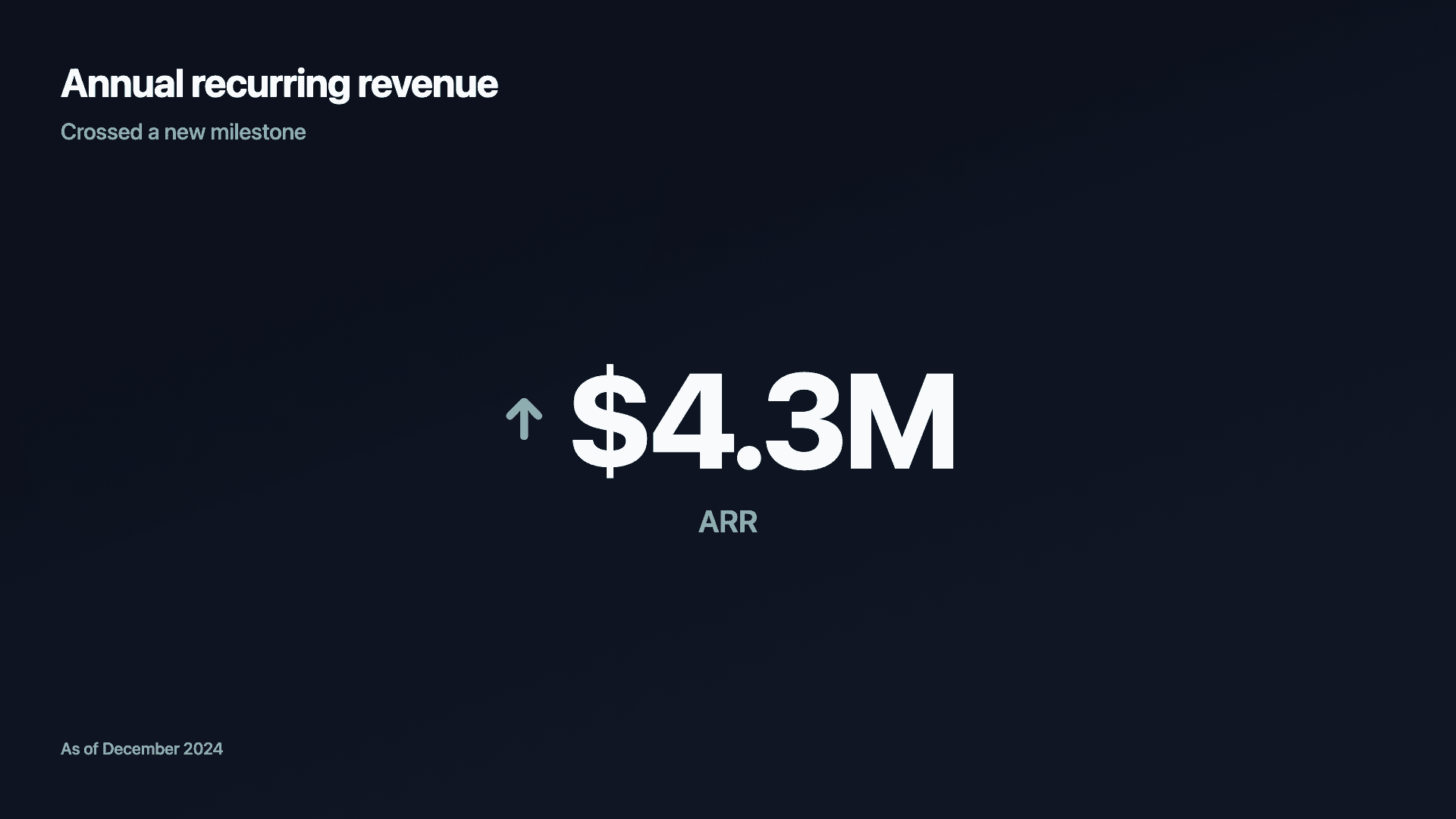
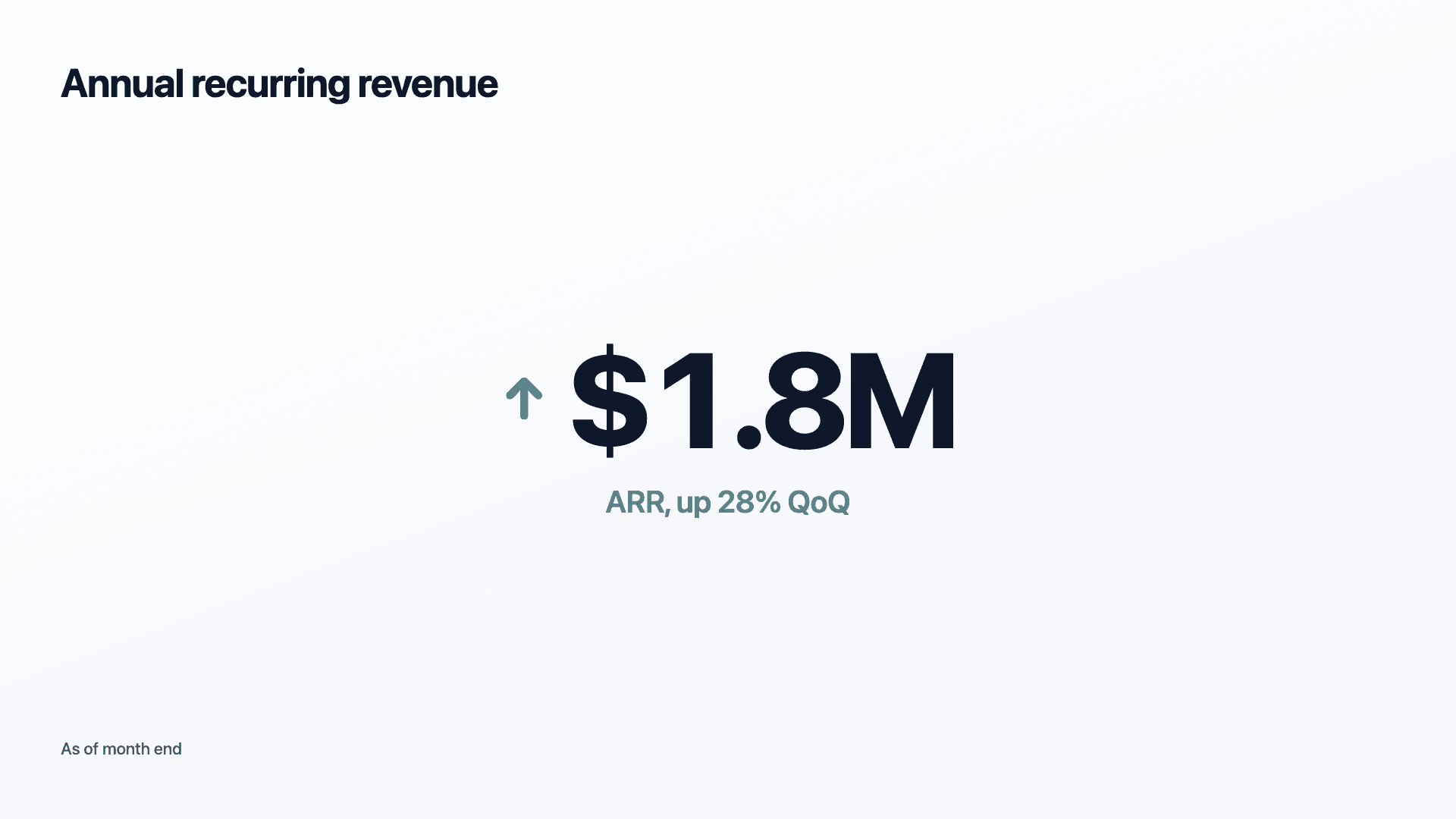
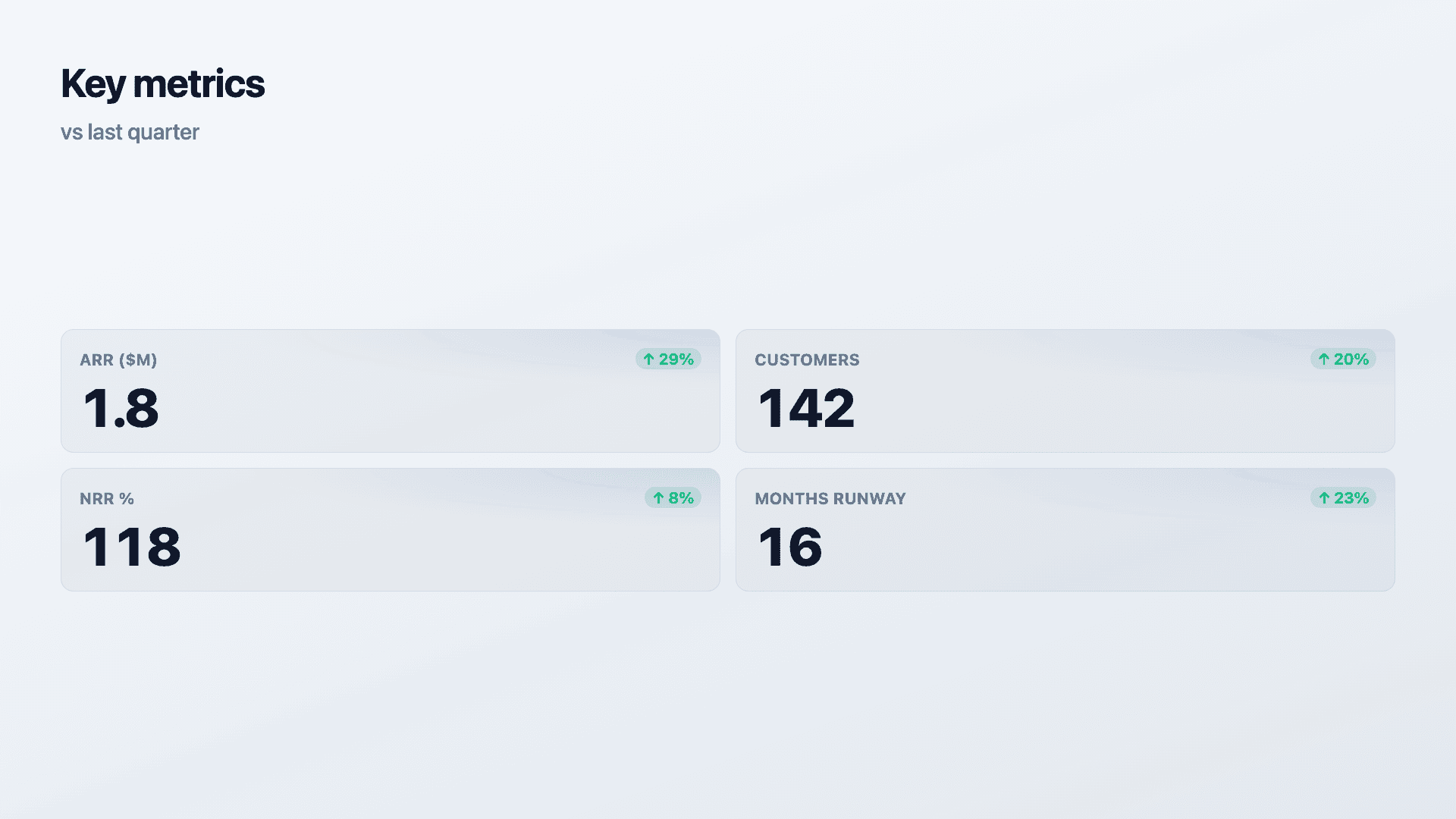
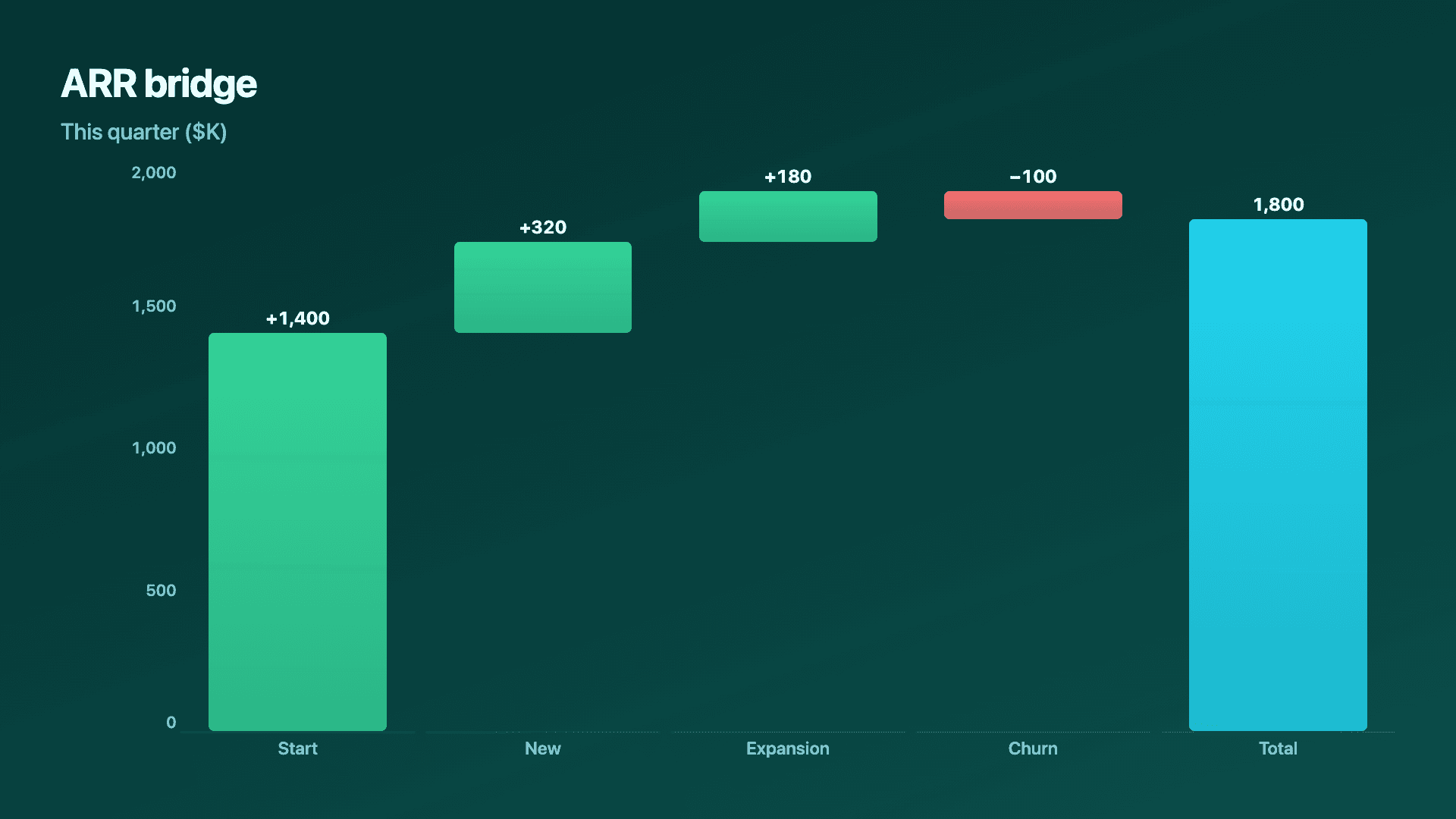
A good update has a rhythm. Open with the headline metric as a counter or a single bold line. Follow with a KPI scorecard so the supporting numbers and their trends are visible at a glance. Add a growth chart for the metric that matters most this period, and a funnel or waterfall if conversion or revenue movement is part of the story.
Reochart turns MRR, growth, runway and KPIs into clean, on-brand visuals in minutes, so your update looks as considered as your traction. Whether it is a monthly email, a board deck or a data room, the charts carry the credibility.
How it works
How to chart an investor update
Lead with one headline: a counter for an ARR milestone, or a single growth line. Then add a KPI scorecard (current and previous values for each metric so trends show) and a chart for the period's key story. Keep each visual to one clear point.
Be consistent and honest: same metrics each period, axes from zero, no cherry-picked windows. Investors track the same numbers month over month, and consistency reads as control.
Examples
Example charts
Real charts made in Reochart, each with its own data and theme. They animate automatically as you scroll.
Good fit
When to use it
- ✓Monthly or quarterly investor updates
- ✓Board decks
- ✓Fundraising materials and data rooms
- ✓Year-in-review notes
- ✓A pre-raise traction summary
Reach for something else
When not to use it
- ✕The news is bad and a chart would spin it, be straight in prose instead.
- ✕A metric needs caveats a chart cannot carry, explain it in text.
- ✕You are changing which metrics you report, that itself needs explaining.
- ✕It is a quick text note, not every update needs a full chart set.
Compare
Which chart to use
Which chart for which part of the update.
| Section | Best chart | Why |
|---|---|---|
| The headline | Number counter | One figure, maximum signal |
| Supporting KPIs | Scorecard | Several metrics with trends |
| The key trend | Line or area | Shows momentum over time |
| Revenue movement | Waterfall | New, expansion, churn as steps |
Your data
What data you need
Scorecards use current and previous values per metric. Counters take one value; trends and bridges use label-and-value rows. Paste or import a CSV.
| Metric | Current | Previous |
|---|---|---|
| ARR ($M) | 1.8 | 1.4 |
| Customers | 142 | 118 |
| NRR % | 118 | 109 |
Step by step
How to make one
Drop your numbers in, or import a CSV.
Choose the chart, theme and animation speed.
Tune colours, labels and add your brand.
Download MP4, GIF, PNG or SVG.
Best practices
Get it right
- ✓Lead with the single most important number.
- ✓Report the same metrics every period.
- ✓Start axes at zero and show fair windows.
- ✓Include trends so direction is obvious.
- ✕Cherry-pick a flattering time range.
- ✕Swap metrics in and out to hide a soft quarter.
- ✕Bury the headline among supporting charts.
- ✕Dress up bad news with a misleading axis.
Watch out
Common mistakes to avoid
Changing which numbers you report each month makes investors suspicious. Keep a stable set so progress is comparable.
A truncated axis or cherry-picked window is transparent to experienced investors and costs you trust. Be straight.
If the reader has to hunt for the key number, the update has failed. Lead with it.
When a metric is down, a chart can look like you are hiding behind it. Address it plainly in text.
Why Reochart
Built for sharing, not just charting
- ✓No design skills required
- ✓Animated MP4 and GIF exports
- ✓PNG and scalable SVG too
- ✓Your brand colours and logo (Pro)
- ✓Paste from a sheet or import a CSV
- ✓Presentation and feed ready in minutes
FAQ
Frequently asked questions
What charts should an investor update include?
An investor update generally needs three kinds of chart doing three different jobs. A counter carries the single headline figure, ARR, users, or funds raised, because one number given a whole frame is what people remember from the email. A KPI scorecard carries the supporting metrics with their deltas, since a value on its own is not interpretable while a value plus its movement since last month tells the reader whether things are improving without commentary. A growth line or area chart carries the trajectory for whichever metric best represents momentum. Beyond those, add a chart only when it answers a question the reader would otherwise ask. Consistency across months matters more than variety: the same metrics in the same order lets a reader compare updates rather than re-reading each one from scratch.
What charts belong in an investor update?
A headline metric as a counter, a KPI scorecard for the supporting numbers, a growth line or area chart, and a waterfall if revenue movement is part of the story.
How many charts should an update have?
A handful, one headline, one scorecard, one or two story charts. Enough to show progress, not so many that the point is lost.
Should I report the same metrics each time?
Yes. Consistency lets investors track progress and reads as control. Swapping metrics to hide a soft quarter is quickly noticed.
Can I match my brand?
Yes. On Pro you can set your brand colours and add your logo so the whole update looks consistent.
Can I make it animated?
Yes. Charts animate by default, and you can export the animation as an MP4 or GIF, or grab a static PNG or SVG if you prefer.
Is Reochart free?
Yes. The free plan lets you make every chart type except the animated bar chart race, and export an animated MP4 with a small watermark, no card needed. Pro adds the bar chart race, removes the watermark, and adds GIF and SVG, your brand colours and logo, longer videos and CSV import.
Keep exploring
Related generators
From the blog
Learn more about charts and data storytelling

11 min read
How to Create an Animated Number Counter
A step-by-step guide to building a number counter that actually lands: picking the number worth this treatment, setting an honest start point, adding the context that makes it mean something, and exporting an animated version for a launch post, a deck, or a milestone update.
Read article →

11 min read
How to Build a QBR Dashboard
A practical guide to building the handful of charts a quarterly business review actually needs: the growth number, the bridge that explains it, the pipeline read, the KPI scorecard, and the roadmap for what's next.
Read article →